Showing posts with label GNU/Linux. Show all posts

Thursday, December 12, 2019

You can now try the Microsoft Teams application for Linux

You can now try the Microsoft Teams application for Linux

It was known for a few months and has just been fulfilled: Microsoft Teams for Linux is a fact. A relevant fact, moreover, because it is "the first Microsoft 365 application that reaches Linux desktops," reports the company.

Microsoft Teams for Linux arrives in technical preview mode, trimmed in terms of functions, but with the promise that "it will support all the basic functionalities of Teams" as its development progresses, for which Microsoft encourages interested users to They test the application and report the errors they find.

Microsoft Teams is, to put it in a nutshell, the Microsoft Slack: a communications service for workgroups that includes chat rooms, videoconferencing, real-time office collaboration, file sharing, integration with Microsoft 365 applications and third parties and many other productivity tools. And although Slack is the reference of the sector, Redmon's proposal is very strong in this area thanks to everything behind it. That is, thanks to Microsoft 365.

“Most of our clients have devices that run on a variety of different platforms, such as Windows 10, Linux and others. We are committed to supporting mixed environments in our productivity and cloud offerings, and with this announcement, we are pleased to extend the Teams experience to Linux users, ”says Microsoft in the presentation of Microsoft Teams for Linux (there you will see several GIF showing the application).

That this is "the first application of Microsoft 365 that reaches Linux desktops" has a trick, because Microsoft 365 is the reformulation of Office 365 as a product for companies. But Skype was already. And it is not a native application, although the latter is debatable. Like Skype or Visual Studio Code itself, it is an Electron application, which is ultimately the basis they use for the new cross-platform applications they are launching.

If you are interested in trying Microsoft Teams for Linux, you can download the installer for Deb and RPM distributions, only for 64-bit.

And if you're interested in knowing what else Microsoft has prepared for Linux, the next thing should be Microsoft Edge, although we'll have to wait until 2020 to see it.
Share:

Monday, December 9, 2019

How to install Firefox on Debian

How to install Firefox on Debian

Maybe it sounds like a joke about how to install Firefox on Debian, but it isn't, as the most experienced Debianites know. Because, yes, Firefox has long been the default web browser in most Linux and Debian distributions is no exception, but ...

But it was not always like this. For many years, the name of Firefox was not seen in Debian at first, although in the background the browser that used the distro was Firefox. However, due to legal conflicts and forms, what Debian offered its users was called Iceweasel. And the same goes for Thunderbird: Icedove was called his mail client.

Finally in Mozilla they entered into reason and changed what was wrong, again winning Debian's favor. Then, Firefox returned with all of the law within the universal operating system. But, alas, it wasn't Firefox itself, but Firefox ESR (Extended Support Release), a stable version of the browser that only receives security patches.

It's understandable: Firefox on Debian adapts to the idiosyncrasy of the distribution and the ESR version is the right one, despite being quite outdated. The problem is that either 60 or 68, yesterday Firefox 71 came out and the accumulated is noticeable and much in all aspects, performance to the new browser privacy tools.

How to install Firefox on Debian

Getting to the point, Firefox is installed as standard on Debian, but since it is not the version that many will want, life must be sought, since the normal version is not found in the repositories. That is, you have to install Firefox by hand, as it has always been done, as explained in the wiki. In steps:

  1. First, download Firefox from the official website.
  2. Second, unzip the package in your user box.
  3. Third, create an empty text document called "firefox-stable.desktop" and paste the following into it:
[Desktop entry]
Name = Firefox stable
Comment = web browser
Exec = / path / firefox / firefox% u
Terminal = false
Type = Application
Icon = / path / firefox / browser / chrome / icons / default / default128.png
Categories = Network; WebBrowser;
MimeType = text / html; text / xml; application / xhtml + xml; application / xml; application / vnd.mozilla.xul + xml; application / rss + xml; application / rdf + xml; x-scheme-handler / http; controller-schema-x / https;
StartupNotify = true
Look at the word highlighted in black: «path«; because there you must put the path where you left the Firefox folder. Normally, it would be in your user directory, for example: «/ home / james / firefox / firefox% u».

  1. Fourth, save that file in «/.local/share/applications«.

Keep in mind that this method is only for you, which is the scenario that I consider most common. If you want Firefox to be available to all users of the system, the process is the same, only the routes change (both actions require administrator permissions):

  • The Firefox package you have to unzip it in «/ opt /«.
  • The .desktop access you have to create it in «/ usr / share / applications» and adapt it to the path of the executable.

Once installed, remember that you can translate the Firefox interface to the language you want through the preferences of the browser itself. And as for the version update, don't worry because Firefox will apply them to the Windows style, silently, as they become available.

Of course, you can also install Firefox on Debian as Flatpak and Snap, but honestly ...
Share:

Disney + already works on Linux, or so it seems

Disney +

Disney + is called to be the new streaming giant because it has behind the world's largest producer of audiovisual content, however, GNU / Linux users could not use it because the DRM introduced in the Chrome and Firefox versions for The Open Source system did not meet the required security level.

The issue was denounced at the time by Hans de Goede, an employee of Red Hat and one of the engineers most involved in the development of Fedora. De Goede could know this first hand because he is from the Netherlands, a country that had the privilege of being with the United States and Canada the first to officially use Disney +. After learning about this problem with the DRMs available for GNU / Linux, he decided to contact Disney to see if he could find a solution.

While the community around the GNU / Linux desktop is relatively small, it has the ability to be very active. This adds to the fact that other streaming content services such as Netflix and Amazon Prime Video have not put any impediment to their use from the Open Source system beyond the DRM provided by Chrome and Firefox (Widevine), so after Hans' contacts Goede (and possibly other people linked to the community) and user complaints, Disney seems to have rectified (or Widevine has been updated) and now you can access the contents of Disney + from GNU / Linux, or so they count on OMG Ubuntu after collecting posts from various Twitter users.

Obviously, to use Prime Video, Netflix and presumably Disney + in GNU / Linux requires a recent version of Google Chrome or Firefox that supports Widevine, the DRM that has opened the door to the use of these services from the browser and independently of the operating system. Although the DRM in HTML5 was at the time very criticized, it has been shown as a good way to unlink the streaming services of the native applications and reduce their dependence on the operating system, making it now not necessary to have a dual boot with Windows to using them.

If this information is confirmed, when Disney + arrives in Spain, GNU / Linux users would not have to have any problem to enjoy The Mandalorian.
Share:

Wednesday, December 4, 2019

Linux Mint 19.3 Tricia already has its beta version

Linux Mint 19.3

The Linux Mint Project today released the beta version of its next Linux Mint 19.3 Tricia distribution available in all official versions, including Cinnamon, MATE and Xfce.

Linux Mint 19.3 Tricia began development at the beginning of September and now has a public beta before its launch that is planned for later this month, just during the Christmas season.

Improvements in Linux Mint 19.3 Beta

Linux Mint 19.3

Linux Mint 19.3 Beta enhancements include three new applications, Gnote as an application to take notes, replacing Tomboy, Drawing replacing GIMP and Celluloid as a replacement for Xplayer.

For all versions, Linux Mint 19.3 adds support for HiDPI with better icons in the system bar, clear flags in language settings and other tools, as well as improved screen savers and theme previews.


The reporting system has been improved for all editions and now a new icon is added in the system bar to inform users that they need to check some things, in addition to automatic detection of potential problems on the computer due to lack of codecs or drivers .

The language tool has been updated to allow users to select the time format and there is a new solution in the system bar that brings support for dark and light icons, support for multiple menus, native menus and more.

Linux Mint 19.3 Cinnamon, MATE and Xfce come with Cinnamon 4.4, MATE 1.22 and Xfce 4.14. You can download the beta versions on the official distribution page.
Share:

Friday, November 29, 2019

How to recover GRUB in Ubuntu after installing other distributions

How to recover GRUB in Ubuntu after installing other distributions

You know what the curse of the distrohopper is, right? In essence, you install Ubuntu or some simple derivative, you spend a lot of time with it without major mishaps, you get bored, you decide to install other distros on disks or partitions apart ... and they put their own GRUB, which you will not want in the long run because either you installed those other distros out of passing curiosity, or if you did it to move seriously you discover that what you were using works perfectly for you, or that it is better to reinstall from scratch.

When access to the system you want to keep is difficult, it is normal to use some live media to boot from it and repair the GRUB with the tools it provides, and for these cases there are those who are prepared specifically to perform this task. I refer to distributions like SystemRescueCd and even more specific ones, like Super Grub2 Disk 2. However, if you can continue logging in - for example, choosing a specific partition from the BIOS - it is more feasible to fix it from within.

To make sure where the GRUB was installed, the command will help you:

sudo debconf-show grub-pc
The line you have to pay attention to is usually the first one, "grub-pc / install_devices", which will indicate the disk drive on which it was first installed. Anyway, this is just a procedure, because if something good has the GRUB is that "remember" where it was installed. The only convenient thing is to know - and you should know, if it is your device - if you installed it with a normal BIOS or in UEFI.

Depending on the case, you can recover the GRUB with one of these two commands:

sudo dpkg-reconfigure grub-pc
sudo dpkg-reconfigure grub-efi-amd64
It should be noted that this simple method is aimed only at those who installed the system on a regular basis, without changing the location of the boot loader. Of course, the GRUB can be installed wherever you want, including a specific partition, but it will be easier for problems to arise.
Share:

Monday, November 25, 2019

Linux 5.4 arrives with Lockdown and these other highlights

Linux 5.4 arrives with Lockdown and these other highlights

After eight Release Candidates, although the latter was not 100% necessary, Linus Torvalds launched Linux 5.4 yesterday. As we have explained during its development, it seems that this new version of the Linux kernel does not include as many new features as v5.2 and v5.3, but it does include improvements that could interest users who are experiencing hardware problems on their computer , as improvements in support for AMD Radeon Graphics.

The most outstanding novelty of those included in Linux 5.4 is what they have called Lockdown. A couple of months ago we explained that it is a new security module with which it is intended to prevent some malicious software from doing its job, but it also means that users will lose control over our equipment. In other words and the reason for the controversy is that we will be less "God", which is why the function has been launched disabled by default.

Linux 5.4 highlights


  1. Lockdown security module.
  2. Support for exFAT.
  3. Performance improvements in AMD Radeon Graphics.
  4. Support for the Qualcom Snapdragon 855 SoC.
  5. Support for newer Intel GPUs and improved support for GPUs of the same brand in general.
  6. Possibility to run the main kernels on ARM laptops.
  7. Support for Intel Icelake Thunderbolt.
  8. Support for the FS-IA6B drone receiver.
  9. VirtIO-FS has been included to share files and folders between guest and host operating systems when using virtual machines.
  10. Fixes for Windows games via Wine and Proton.
  11. Improved support for FSCRYPT.
  12. Various improvements and fixes for existing file systems, such as btrfs.
Now that Linux 5.4 is already available, we have several options: the one I always recommend is to forget that there is a new release and wait for our Linux distribution to update it. In the case of Ubuntu and its official flavors, this update will arrive in April, but will now use Linux 5.5. Those who are experiencing a problem that you think you can solve by installing a new version of the kernel, I think it is best to use a tool with GUI like Ukuu.
Share:

Sunday, November 24, 2019

Will Half-Life Alyx reach Linux?

Half-Life Alyx

If you like games and you are also Half-Life fans, surely you have not missed the news of Half-Life Alyx, a derivative of the action franchise that Valve will launch in 2020 exclusively for virtual reality systems and, For now, only for Windows. But will it also come to Linux?

The question is lawful. After all, Valve has put a lot of effort into supporting Linux, including virtual reality, despite how green the issue is compared to Windows. However, the ad refers only and exclusively to Windows, with no further information to suggest something else.

In other words, of the sites across the Internet that have echoed the news, none mention anything about Linux ... except Phoronix, which not only mentions it, but takes it for granted: «Half-Life : Alyx will be launched in March 2020 with support for Linux «, says the headline of a news without sources.

On the other hand, in Gaming On Linux they contacted Valve to ask about this issue and the company's response was what could be expected, corporately speaking: «At this moment we can only confirm Windows for this product«. They were?

The truth is that although Phoronix does not indicate any source that supports its assertion, there is, according to Michael Larabel (founder of the portal and responsible for the information) before the inevitable curiosity of the readers: «They told me (unofficially) that it shows like this on the Steam page until the requirements of the Linux system are added / determined «, responds in the comment thread of the news.

The question is, do you have credibility with Larabel? And why do they say "right now" from Valve, instead of discarding it more bluntly?

Unfortunately, we cannot answer for one or the other, but we can remember old times in which Phoronix confirmed the launch of Steam for Linux by contributing to screenshots, and shortly thereafter Valve strongly denied it. And over time we discovered that they were lying. But sometimes companies work: when they don't like something to be known, there is nothing to do.

So who knows if Half-Life Alyx will end up being able to enjoy itself also in Linux and not arrive alone, but with good news of virtual reality support in Linux.

In case you hadn't seen it, we leave you with the Half-Life Alyx trainer. It looks great, really.

Share:

Best Free Software programs for GNU/Linux of 2020

Best Free Software programs for GNU/Linux Distros of 2020

In the wave of the most used or "best programs" during the year 2019, today we will offer a small, but useful compilation of the "best programs" of "Free Software" for our "GNU / Linux Distros" of the "year 2020". In order to centralize a little, the articles scattered over time on this subject, that is, the "best programs" by areas or categories.

Compilation that we hope will become a fair and balanced list, well classified and described of "best programs", which allows to cover from those traditional, essential and basic, which are usually simple and general use for all, especially "inexperienced users , newbies and beginners », even some of those who are very modern, important and of very special use in their areas of application, for a public constituted by« more advanced, specific or technical users ».

Best Free Software programs for GNU/Linux Distros of 2020

In this compilation we will surely find many programs that personally, some of us now consider the "best programs" of "Free Software" and "Open Source", both in "GNU / Linux Distros" and in other "Operating Systems", such as " Windows »and in« MacOS », for being multiplatforms. And perhaps, others who do not consider them as such or worthy of being on that list.

However, the idea is that at the end of reading the compilation or list, this can be done through everyone's comments and suggestions, updated to generate a more universal and current list of the "best programs" for our future "GNU Distros / Linux »next year.

It does not matter, if you are an "inexperienced, novice and beginner user" or if you are an "advanced user, specific to an area or technician", all the suggested proposals are and will be important to evaluate to be inserted into the collection during the time that be necessary. Of course, without it degenerating into an infinite accumulation of applications that do the same. Therefore, the idea is that there are no more than 3 similar applications in each category.

Important statistical data

Before presenting the list we want to highlight before the connoisseurs or not, about the «Free Software» and «GNU / Linux», as they go until 2019. Below are the following important data to consider, highlight and disseminate, compiled by the site called Court Hosting:
  1. 100% of the world's super-computers work with Linux.
  2. Of the 25 most important websites in the world, only two do not use Linux.
  3. 96.3% of the first 1 million most important servers in the world work with Linux.
  4. 90% of the entire cloud infrastructure operates on Linux and virtually all the best cloud hosts use it.
  5. 54.1% of professional developers used Linux as a work platform.
  6. 83.1% of professional developers prefer to work in Linux as a work platform.

Best Free Software programs for GNU/Linux Distros of 2020

Best Free and Open Source Software programs 

Top Ten of best free and open programs

  1. Evince
  2. Firefox
  3. Gimp
  4. Kodi
  5. LibreOffice
  6. Qbittorrent
  7. Thunderbird
  8. Shutter
  9. Stacer
  10. Vlc

Other top important free and open programs 

Web browsers

  1. Brave 
  2. Chromium 
  3. Tor Browser 
  4. Waterfox

Communication and Messaging Utilities

  1. Jami
  2. Pidgin
  3. Signal
  4. Telegram

Educational utilities

  1. Celestia
  2. GCompris
  3. Kalzium
  4. Klettres
  5. Marble Virtual Globe

General utilities 

  1. Alacarte
  2. Conky Manager
  3. Plymouth

Office utilities

  1. Calibre
  2. Dia
  3. Evolution
  4. Gedit
  5. Mousepad
  6. OpenProj
  7. Typora
  8. Scribus

Multimedia utilities

  1. Audacity
  2. Blender
  3. Cheese
  4. Clementine
  5. Converseen
  6. DarkTable
  7. HandBrake
  8. Inkscape
  9. Kdenlive
  10. Krita
  11. MuseScore
  12. Pencil2D
  13. Pinta
  14. OBS Studio
  15. OpenShot
  16. OpenVPN
  17. Simple Screen Recorder
  18. Vokoscreen

Technical utilities

  1. Baobab
  2. BleachBit
  3. ClamAV/ClamTk
  4. Docker
  5. Filezilla
  6. FSlint
  7. Git
  8. GParted
  9. Grub Customizer
  10. GuFW
  11. HWInfo
  12. KeePassXC
  13. Menu Libre
  14. Ntopng
  15. Phoronix Test Suite
  16. RootKit Hunter
  17. Systemback
  18. TestDisk & PhotoRec
  19. Vim

Web Services Utilities 

  1. Franz
  2. Rambox
  3. Station

Game, Leisure and Entertainment Services Utilities

  1. Lutris
  2. Playonlinux
  3. RetroArch
  4. Steam
  5. Wine

Other best free programs, not free and not open important

  1. AnyDesk
  2. DaVinci Resolve
  3. FreeOffice
  4. JDownloader
  5. Lightworks
  6. NoMachine
  7. Opera
  8. Plex
  9. Universal Password Manager
  10. WPS
  11. VirtualBox

Best free and open websites 

Social networks 

  1. Disroot ( https://disroot.org/ )
  2. Mastodon ( https://mastodon.social/ )
  3. Open Tube ( https://open.tube/ )

Organizations


  1. Kernel Organization ( https://www.kernel.org/ )
  2. Linux Foundation ( https://www.linuxfoundation.org/ )
  3. Linux Organization ( https://www.linux.org/ )
  4. Open Source ( https://opensource.com/ )

Best Free Software programs

Conclusion

We hope that it is small, for now, compilation will grow with the contribution of all the readers of the Blog so that it becomes an ideal reference for the entire «Free Software and Open Source Community» that reads us. So, remember through your comments to make your suggestions, to evaluate them and include them if necessary, to generate a more universal and current list of the "best programs" for our future "GNU / Linux Distros" next year, 2020.

If, on the other hand, you only want to know more about the applications recommended here you can search the Linux-Apps website, more details of each one of them. And if you liked the article, do not forget to share it with others in your favorite channels, groups or communities of social networks, preferably free and open as Mastodon or secure and private as Telegram.
Share:

Monday, August 5, 2019

Windows 7 is leaving, but Linux is ready: what is the best alternative?

Windows 7
Windows 7
There are six months left for Windows 7 to run out of support and although, as with Windows XP, there will be many people who will continue to use it for an indefinite period, many others will be looking for alternatives. And yes, GNU / Linux is ready to replace it.

The sad reality, however, is that most of these people will end up updating Windows 10 sooner or later. It is the most logical path, mandatory in some cases, and the only one that many millions of users know or contemplate. But there are alternatives and there are also more and more people who take them into consideration.

Now, what is the best alternative available to make the leap? It would be great if everyone we recommended to do it at one, but it is not normal and the answer varies depending on who you ask. Fortunately, Ubuntu's fame as a gateway to this world remains and although it is not the perfect representative - perfection does not exist, they say - it fulfills its role with abundant dignity.

Of course, this Linux is about alternatives and, we must repeat, there are. In plural. Our colleagues from MC published a few months ago 7 Linux distributions alternative to Windows 7 and as the title says it all, it should only be added that the list fits what anyone who has heard Linux bells can expect: modern distributions with desktop experiences more or less similar, but recognizable.

Curling the curl, the closest thing to Windows is KDE Plasma, so Kubuntu would be the most accurate recommendation to give to those looking for the closest thing ... But whoever used Windows will have no problem adapting to Linux Mint with Cinnamon, Zorin OS or to Deepin. There are also distributions with simpler desktops that will not pose any challenge to the traditional Windows user, such as elementary OS or Ubuntu itself, which is not only the most recognized representative of Linux for PC, but its desktop is the standard in corporate Linux .

So what do we recommend? The closest, the simplest or the most used? Is anyone really used to using Windows and dealing with that control center of patatús going to be intimidated when opening the preferences of KDE Plasma? Is that someone going to suffer a decrease in functionality if you choose to install the flavor of Linux Mint? Is it going to be confused with the (easily modifiable) GNOME default user experience?

In the MuyLinux mailbox we usually receive messages asking what Linux distribution to install and almost always we solve them quickly: Linux Mint or some flavor of Ubuntu, if they specify the type of hardware. But the truth is that there are other interesting options that can replace Windows, also to the limit of what we consider GNU / Linux.

Without going any further, Chrome OS, whether on a Chromebook as such or in the form of CloudReady or others, is a Linux system with which many Windows users could work without major problems, given that Chrome is the most used browser and that the browser is the application that is most used on the PC, especially for those who use the PC for minor issues, let alone those who use Android with intensity and the Google cloud.

If you were looking for a specific and exclusive recommendation, I'm sorry, but you won't find it here. Neither in GNU / Linux, because as you enter this world you will get to know things that will get your attention. And is that GNU / Linux and free software in general, is about alternatives. The crucial thing, however, is whether the platform - however diverse - can replace Windows with solvency and the answer in many cases is yes.

Whoever thinks about making the leap to Linux on PC has to know:

  • That hardware support is often very good and improves very quickly;
  • That performance and stability are up to par and can improve what Windows offers;
  • That it enjoys a large and powerful ecosystem of applications in which to find a feasible alternative to what it used in Windows, and even that it will be able to continue using the same in many cases;
  • That he will be able to play many games with guarantees;
  • And that almost any distribution you install is as or more secure than Windows, and much more respectful of your privacy.

With the exception of those with specific requirements, GNU / Linux is willing to present itself as a valid alternative to Windows and that is what matters. Recommend it without shame.
Share:

Friday, July 12, 2019

Available Linux 5.2

Linux 5.2

We continue with more news, and that is that Linus Torvalds has announced the release of Linux 5.2, the new version of the kernel and the third so far this year.

As always, each new stable version of the kernel means tons of changes that usually occur in the usual development fronts: drivers for better hardware support, improvements in the support of architectures, file systems, etc. There is nothing that goes out of tonic in this release, as the boss hinted before the release of opening the development period of the next version.

In the section of multimedia support Linux 5.2 stands out for the premiere of the Sound Open Firmware project, promoted by Intel and Google to provide a platform for the creation and distribution of open source firmware for DSP audio devices, and including in this version Intel firmware for its most modern chips.

And when it comes to graphics, Linux 5.2 brings full support for Intel IceLake, initial support for Intel's upcoming workhorse, Comet Lake; improvement of touch device support with AMD Ryzen; or new drivers for the most recent versions of ARM Mali. As you can see, everything starts and ends with support.

A striking change in the case of the EXT4 file system, for example, is the support for searches that ignore case-sensitive file names. And so up to almost a hundred developments by blocks that together are thousands and also point to performance, security, cryptography, networking, virtualization and other topics related to the kernel, each more technical.

So, as always, to learn about all the news of Linux 5.2 the best site is Kernel Newbies, where they index, summarize and complement with informative links the main changes that this version brings, whose download will be available shortly at kernel.org.
Share:

Saturday, July 6, 2019

The Inanimate Mr Coatrack: an adventure video game.

The Inanimate Mr Coatrack

I invite you to visit the site of The Adventure Jam is surprising for his work with the quality and artistic work behind them, as well as surprise for creating a graphic adventure in just 2 weeks ... In this case, one in which I have noticed is The Inanimate Mr. Coatrack is a pretty peculiar story. A videogame with a retro graphic aspect that will remind you of another famous movie saga. This adventure will be about Dr. Victor Bernhardt, a scientist obsessed with conquering new frontiers of science, how to overcome death.

That is the basis of the history of this title. The doctor has everything ready for his experiments, especially thanks to the death of Argyle Coatrack, who donated his organs for science ... although only his brain could be saved after his fatal fall from a window on the third floor. But that would not make Coatrack go back, that's why, during this comedy graphic adventure you'll laugh a lot while doing some scams to get parts of the dead and resuscitate these dead ...

Well, the story is a classic and it has inspired many TV series, movies and also known video games. But here you have a new rejuvenated title, although with that touch of retro art that so often indie lovers like to play. And if you are interested, the good news is that it is available for several platforms, such as Windows, macOS and of course for our favorite: Linux. You can download it from different points, this is one of them.

The package for Linux occupies about 172MB, and is a ZIP and you will need to donate 1, 2, 5, 10 or the amount of dollars you want. Therefore, it is not expensive. I encourage you to try this game or some other one that you can find here.
Share:

Friday, June 28, 2019

Wine 4.11 is already out...

Wine 4.11
Wine 4.11
The Wine project is a compatibility layer, I never tire of repeating it because there are still those who think it is an emulator. Not so, it is a compatibility layer to be able to run native Microsoft Windows software on UNIX-like systems. Thanks to that environment or layer, the software has DLL libraries, a registry similar to that of Windows, and a C: unit with the key directories to be able to install it without and run it without problems.

Now Wine reaches a new milestone, Wine version 4.11 is out. From the official website of the project you can get more information and download the latest stable and development version. At the moment, the latest stable version is Wine 4.0.1, while this new 4.11 is development, therefore, it is not too stable and there are still things to polish, so you may run into bugs and problems, but Change you have the latest improvements at your fingertips.

  1. Among the improvements that Wine 4.11 includes and that have been announced by one of the project's developers, Alexandre Julliard, are:
  2. The Mono engine has been updated to the latest version, including some improvements such as Windows.Forms for the graphics that support this project.
  3. More dynamic libraries of type DLL have been added as part of the PE files by default, although you already know that you can include the ones you need for yourself.
  4. This new version is a faster implementation for Slimb Reader / Writer in Linux.
  5. Initial support has been included for enumeration of display devices.
  6. In addition, changes have been made in the optimization of the code and corrected some bugs found. Among the problems have been resolved some that affected the game SWAT4, Legacy of Kain: Soul Reaver, Chromium Embedded Framework (CEF), Max Payne 3 and more.


By the way, remember that the decision to remove the support for 32-bit in Ubuntu 19.10 by Canonical will affect Wine and will generate problems ...

Share:

Steam Play updates its service with a new version of Proton

Steam Play

Steam Play has been updated. The Steam Play 4.2-8 version is out. The client of this Valve service to bring videogames to the GNU / Linux world follows his progress. The new development has focused on including the project DXVK 1.2.3, the new version that has been incorporated to translate the instructions of the DirectX videogames to Vulkan for use with Wine and to be able to run native Window video games in Linux.

The great idea of Valve and the Proton project is paying off and many Linux users can play their favorite games without relying on Windows. Now the native titles of the Microsoft system can be played thanks to Steam Play without any barrier. And although there is still work to be done, little by little it is progressing. If you want to know all the news included in this new release, read on ...

Steam Play includes some important changes such as:

  1. Fixed some problems that integrate an embedded browser using Steam Client. For example, Football Manager 2019.
  2. Correction of problems with Bloodstained: Ritual of the Night and other video games that stop working and send an error message.
  3. Wine-monkey has been updated to 4.9.0 which includes winforms support. That will help all titles that are based on Mono.
  4. Several problems with corrected window and alt-tab managers.
  5. Corrections for flyers and controls that lose the force feedback system.
  6. In addition, with the new DXVK have been solved problems with the game engine Unreal Engine 4, problems loading the textures of World of Warships and other titles, less CPU overhead, optimizations for the GPU and memory, etc.

So you will have fewer problems and more performance, so you can continue having more fun ... Hopefully these steps are followed and many more improvements come. The gaming world in Linux deserves it.
Share:

Thursday, June 27, 2019

Valve official statement: the commitment to Linux is maintained and Steam support in Ubuntu also

Valve
Valve
The mess was important and one of the most well-known developers of Valve posted a personal message warning that Steam would stop being officially supported in Ubuntu, obtaining as a response from the developers of Ubuntu where I said ... that ended up becoming a official statement in which they retracted their plans and promising 32-bit support at least for the next two versions of the system.

Now, the same developer of Valve that launched the threat folds in the course of the events and, this time officially, publishes a statement clarifying the position of Valve regarding Steam support in Linux and more specifically in Ubuntu, as well as to the importance of the 32-bit for the gaming platform.

As we explained, "support with 32-bit libraries is required not only for the Steam client, but also for the thousands of games available on Steam that only support 32-bit environments", he says, responding in step to a common criticism of Steam: "Enabling the Steam client to run in pure 64-bit environments, even if feasible, would leave most of the Steam catalog inaccessible to such users without an additional compatibility layer" .

"Steam already includes many of the dependencies needed by 32-bit games, but it is currently based on the fact that some key components are available in the operating system: a glibc ELF, Mesa and NVIDIA graphics driver libraries, to name a few» Add. "We do not think it's a particularly positive move for Steam and the game-oriented users who rely on this support."

Steam on Ubuntu
Steam on Ubuntu

Recognizes that "an important part of our Linux users are in the latest version of Ubuntu and are updated as new versions are available", so "require such a fundamental change in the environment Steam execution in that This period of time would have been very risky for these users, and it probably would not have resulted in a perfect experience. "

However, in Ubuntu they have changed their minds and "although we are still not particularly enthusiastic about the elimination of any existing functionality, a change of this type is extremely welcome and will allow us to continue working to achieve improvements in the Steam distribution model without causing new headaches for users, "he says, so that" it seems likely that we can continue with the official support of Steam in Ubuntu ".

But there is life beyond Ubuntu, as it also recognizes: "There are several distributions on the market today that offer an excellent desktop experience for games such as Arch Linux, Manjaro, Pop! _OS, Fedora and many others. We will work closer with many more maintainers in the future ". We will have to see in what concrete. By the way, no mention of SteamOS, which is still in development.

In conclusion, it reaffirms Valve and Steam's commitment to Linux games: "We remain committed to supporting Linux as a gaming platform, and we continue to drive numerous character development and driver development efforts that we hope will help improve the gaming experience and desk in all distributions «. Proof of this is the news that we gave you yesterday.

And colorin colorado this story is over? For the moment, yes, although we will definitely read about it again, because there is no definitive solution. With so many parties involved, however, there should be no greater problem. If the abandonment of 32-bit support in Ubuntu and the support of Steam in Ubuntu materialized, the stick would have been taken by the Linux desktop in general and the Linux gamers in particular ..., because Ubuntu without Steam resists, but Steam without Ubuntu ...
Share:

Saturday, June 22, 2019

Linux Mint vs Windows 10, what is faster in everyday office tasks?

Linux Mint vs Windows 10

While it is common to see performance comparisons between Linux and Windows based on meticulous technical tests, it is not so much done in the form of infographics, also based on such ordinary actions as starting the computer, applications, edit documents or graphics. This is what this Linux Mint vs Windows 10 brings.

This is an infographic that has gone viral in recent days, and through simple tests puts face to face Linux Mint 19.1 with Windows 10: which is faster in everyday office tasks in a modest machine? A small Australian company has illustrated its research in this regard.


"We work together in a small IT services team called DXM Tech Support, keeping networks, servers and workstations running for small businesses in Melbourne," they explain on their information page.

As far as the infographic is concerned, they talk about a "comparison of the daily tasks of small businesses between Linux Mint 19.1 Cinnamon and Windows 10 1903 on a HP 245 G6 laptop with dual boot". It does not stop being a mere curiosity, but there goes:

Linux Mint vs Windows 10

Share:

Tuesday, June 11, 2019

LMMS, the tool to make music, receives a new update after 4 years

LMMS 1.2

The open source tool for music creation LMMS has received a new stable update after 4 years.

The previous version of this tool for musicians is LMMS 1.1.3 and was released in 2015. Now comes LMMS 1.2 with many improvements, new features and fixes.


Once called free Fruityloops clone (FL Studio), LMMS has matured into a great tool for musicians with their own identity. The application has a very intuitive interface, several tools and great fullness of features including support for VST instruments.

What's new in LMMS 1.2

LMMS 1.2
LMMS 1.2
With LMMS 1.2 the team created a solid base with four years of fixes, improvements in main features and new features in the interface.

In LMMS 1.2 we find a new theme, a new demo song, parametric equalizer with spectrum viewer, VST synchronization activated by default, import and export of improved MIDI, list of effects ordered, among many other things.

Linux users specifically include support for App Image, and arrangements for 32-bit VST on 64-bit Linux with VST synchronization enabled. The interface now also works very well with HiDPI screens.

LMMS is free and available for Windows, MacOS and Linux, you can download the installer on the official page. Linux users can get this latest release as an App Image, which allows to have a container with all necessary dependencies inside.
Share:

Saturday, June 8, 2019

Zorin OS 15, Linux distribution is based on Ubuntu and integrated with Android ideal for Windows 10 and MacOS users

Zorin OS 15

In a list of Linux distributions perfect for users with little experience in the free operating system par excellence could not miss Zorin OS. A different project, very careful and decided that advocates attracting an audience perhaps not too seduced by the usual proposals in the field GNU / Linux.

A distro known for offering personalization options that bring it closer to Windows 10 and macOS that now reaches one of its most outstanding evolutions: Zorin OS 15. A version based on Ubuntu 18.04.2 LTS, the Linux kernel 4.18, an adaptation of the environment desktop GNOME 3.30 and, as one of the main novelties, Zorin Connect, a solution to integrate the system into Android using an application based on GSConnect and KDE Connect.

What's new in Zorin OS 15


"The creation of a Linux desktop operating system designed for everyone, not only for engineers and advanced users, has always been the mission of Zorin OS," they say when presenting their new version. And commitment, of course, they do not lack.

To conceive Zorin OS 15 its creators claim to have amplified the efforts of the decade of existence of the distribution taking them to the next level. They say that every detail of the user experience has been re-examined to be perfected in this new version. From the process of installing the applications to how it interacts with the devices that surround us, including how we work in this system.

The result of this process is, they say, "a desktop experience that combines the most powerful desktop technology with the easiest-to-use design."


Zorin OS 15 is fixed both in Windows 10 and in macOS in terms of its interface

Zorin OS 15 has a new desktop theme, clearer, simpler and brighter, which shows a reduction in the visual load of the interface so that the only thing that really stands out is the content that is displayed and not the controls or your container. Another focus of this new version has been the speed and say that thanks to optimizing performance at all levels of the system, after the introduction of the Linux kernel 4.18 and GNOME 3.30, it is much more fluid in both old and new computers.

Among other details, highlights the option of changing the interface to a dark mode at dusk, the desktop background also adaptable to the time of day, a reduction in brightness at night, the conception of the entity for use in touchscreen equipment , the redesign of applications or the do not disturb mode. And, of course, the application Zorin Appearance that in the Ultimate edition of Zorin OS, paid, allows with a few clicks to change the appearance of the interfaces to look like Windows 10 or macOS.

Zorin Connect is an Android application that narrows the relationship between mobile devices and computers with Zorin OS 15

Also highlights Zorin Connect, the integration with Android. Through this application, the relationship between the team with Zorin OS and our Android device is narrowed by synchronizing notifications, offering access to the photo gallery of the terminal, sharing files between devices or controlling the playback of multimedia content on the computer from the phone.

Zorin OS 15 can be found free of charge in the Core, Lite or Education versions. The superior version, the Ultimate, which includes certain applications, more than twenty games and some other benefits, costs $ 39.
Share:

Commands for Arch Linux that all users should know

Arch Linux

Although I often use the console, I confess that I am not very good at memorizing commands, I usually use a "chop" where I have several commands that I usually need and that in some cases I do not remember. This is perhaps not the best way to have the commands we need at hand, but it is the one that I use and it serves me.

Now that I'm enjoying Manjaro KDE (which is a distro based on Arch Linux), I found it interesting to compile the commands that are most used in Arch Linux and others that are not used much but have interesting utilities.

It is worth noting that the best way to know the commands for Arch Linux is the distro Wiki itself, where there is very complete and adequate information for each command. This compilation, is not more than a quick reference guide, to deepen in each command (its use, utility, syntax, among others) we strongly recommend going to the Arch Linux Wiki.

Pacman and Yaourt: the 2 essential commands for Arch Linux

Pacman and Yaourt make Arch Linux one of the best distros that exist today, through them we can enjoy thousands of packages and programs that are available to be installed with these commands. Similarly, both tools work in a very similar way so learning to use it is extremely simple.

Pacman is the default package manager of Arch Linux, meanwhile Yaourt is a wrapper that gives us access to the AUR community repository, where we can get one of the largest catalog of compiled packages that exists today.

The basic commands of Pacman and Yaourt that we must know are the following, we will group it by what they do, we can observe the similarity of the commands, likewise, highlighting that pacman is executed with sudo and for yaourt it is not necessary.

sudo pacman -Syu // Update the system
yaourt -Syu // Update the system
yaourt -Syua // Update the system in addition to the AUR packages
sudo pacman -Sy // Synchronize the database packages
yaourt -Sy // Synchronize the database packages
sudo pacman -Syy // Force synchronization of database packages
yaourt -Syy // Force synchronization of database packages
sudo pacman -Ss package // Lets look for a package in the repositories
yaourt -Ss package // Lets look for a package in the repositories
sudo pacman - If package // Obtain information from a package that is in the repositories
yaourt - If package // Get information about a package that is in the repositories
sudo pacman -Qi package // Shows the information of an installed package
yaourt -Qi package // Shows the information of an installed package
sudo pacman -S package // Install and / or update a package
yaourt -S package // Install and / or update a package
sudo pacman -R package // Remove a package
yaourt -R package // Remove a package
sudo pacman -U / route / to / the / package // Install a local package
yaourt -U / path / to / the / package // Install a local package
sudo pacman -Scc // Clear the cache of the packages
yaourt -Scc // Clean the cache of the packages
sudo pacman -Rc package // Remove a package and its dependencies
yaourt -Rc package // Remove a package and its dependencies
sudo pacman -Rnsc package // Remove a package, its dependencies and configurations
yaourt -Rnsc package // Remove a package, its dependencies and configurations
sudo pacman -Qdt // Show orphaned packages
yaourt -Qdt // Show orphaned packages
Share:

Interesting Open Source games that you can enjoy on Linux

Games for linux

We must admit that it is not the most common but, why not, Linux users also like games. Nor is it a secret that the vast majority of PC games, if not all, are available for Windows and many of them also appear for macOS, but the Microsoft operating system is the best option for the most demanding gamers. For occasional players, here is a list of the best games available for Linux.

Before starting with the list I would like to clarify that only open source or open source titles will appear on it. Logically, these games can not compete with large studios unless we are looking to spend some time entertaining. Explained this, we talked about these 11 games that can not be missing in any PC with Linux of any occasional player.

11 open source games for Linux

SuperTuxKart


I think it's clear where the idea of ​​this car racing game comes from. If I'm not mistaken, the first game of this type was created by Nintendo and the protagonist was, like almost everything, the famous plumber Mario Mario (yes, same surname as name). The original game, I keep saying that if I'm not mistaken, it's Super Mario Kart, so the name of the open source version for Linux was clear: SuperTuxKart.
For those who do not know any game of this type, this is a car racing game, but not normal racing in which we have to focus on being faster than our opponents, but in a race in which we will also have to damage to our enemies with weapons and advantages that we will achieve in the races.

Xonotic


When I bought my first PC, I remember that among the first things I did was to see how the Quake world had evolved. I had already played Quake on a brother's PC and Quake 2 on a friend's, so I set out to try the Quake 3 Arena. Well, a good game that brings together all the good of that title, and even more, is Xonotic.
In fact, Xonotic includes up to 16 different game modes, including Deathmatch and Flag Capture. The weapons included in Xonotic are quite futuristic, which assures us that everything will be quite spectacular.

0 A.D.


If yours are the strategy games, the best (free) to what you can play in Linux is called 0 A.D. In this case it is a game set in historical moments, but I think that everything else is very similar to the other strategy games that are on the market.

Hedgewars


I remember a couple of decades ago, when I still did not have my first PC, playing a title in which there were two teams of 4 worms that had to kill each other. I'm talking about Worms, where we controlled a team of worms that had to eliminate other teams of 4 worms using all kinds of weapons, from bombs, explosive goats, punches or even air attacks.
Like many of the games in which Tux appears, Hedgewars is the open source version of another game, in this case the aforementioned Worms. The main difference is that the protagonists of Hedgewars are Helen (Hedgehog in English, hence their name).

 The Dark Mod


The Dark Mod is a game in which we will have to control a thief who has to use different tools to avoid threats and move forward through the scenarios. What we see is a first-person image of everything that is happening, something we are used to seeing in FPS games or first person shooting.

Voxelands


Following a little with the clones, the next game on this list is Voxelands, in this case a title based on the famous (although I personally do not understand very well why) Minecraft.

The Battle for Wesnoth


I, who have to admit that I am not a big fan of strategy games, have enjoyed at least two games of this type: the Warcraft II and the XCOM. I myself have been surprised with the amount of hours I have spent playing a turn-based strategy title as it is the second of the two I mentioned, mainly due to the fact that the action takes turns, as if it were a chess game it will be
Battle for Wesnoth is a turn-based strategy game, but with fantastic ambience. The players have to control a series of characters, each with their own characteristics, until we achieve the objective of the scenario or defeat the enemy.

OpenTTD

OpenTTD is a remake of the 1995 Transport Tycoon Deluxe game in which we will have to manage a metropolitan transport system. The objective of the game is to build a transport network using various types of vehicles, such as trains, ships, airplanes and trucks. In addition, we will get money by making some deliveries, a money that we can use to build a better and more efficient infrastructure.

Secret Maryo Chronicles


In the title of this game appears the word "Secret", but it is no secret that has been based on the saga of Mario Bros. The good thing about this title with respect to others is that it offers a better platform experience and much more puzzles worked than other similar games.

Pingus


Pingus is a clone of another very famous PC game called Lemmings. Both in Pingus and in the game on which this title is based, our goal is to get the penguins to do what is required in each level. We will act as a kind of "god" that has to guide you to achieve your goals.

AstroMenace


And we could not finish this list without adding a set of ships. AstroMenace is very reminiscent of the ship games we could find in the recreational games of the 90s, but with important differences that come in the form of improvements of all kinds, something that is especially noticeable in the graphics and sound.

Share:

These are the best Linux distributions for 2019

Linux distributions

Although Windows and MacOs are much more popular than Linux, this operating system is also widely used throughout the world. One of its great advantages over the other two is that it is based on free software, open source. That's why you can install it as many times as you want on a computer for free and customize it however you want. For the latter, there are dozens of Linux distributions - also known as distros - created by unique communities for different uses and that also have no cost.

There are distributions for desktop computers, laptops, workstations, servers, A / V editing or games. Here, we summarize the best you can find now, all designed to be used on a home computer.

The best

LINUX MINT
Linux Mint
Linux Mint
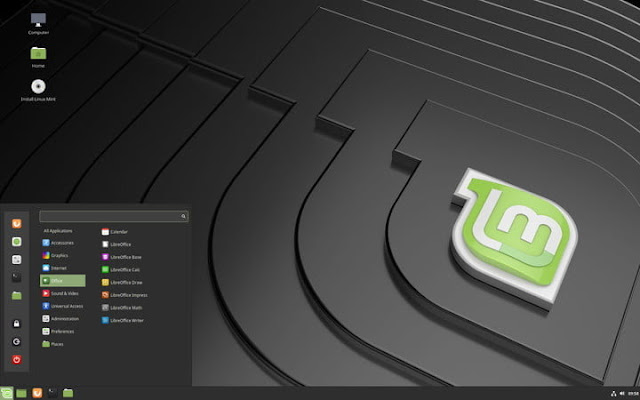
According to the operating system's website, Linux Mint is now the leading Linux distribution, beating Ubuntu and all other distributions to become the main competition for Windows and Mac OS. When you look at the features of Linux Mint, that statement is easy to believe. This free and open source distribution is installed quickly and easily from a USB or a blank DVD, and offers full multimedia support from the start.

Linux Mint does not require too many resources, and is conservative about updates, which means there is little chance of installing a faulty or unstable update. Linux Mint further mitigates headaches for users by using an update manager and compatibility with many popular desktop environments such as Cinnamon (by far the most popular version of Linux Mint), Mate, LMDE and KDE, as well as native support for a long list of applications.

The rest

UBUNTU
Ubuntu
Ubuntu

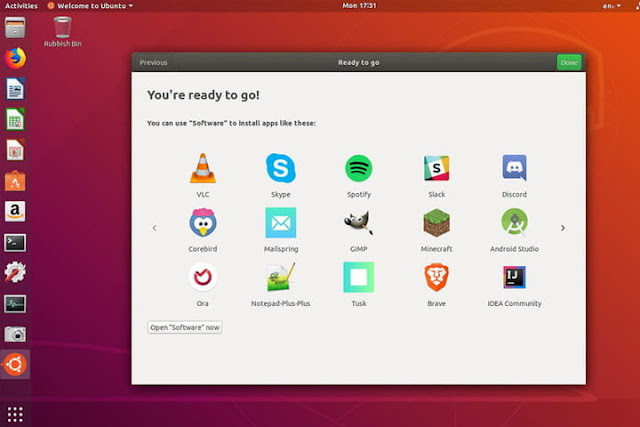
Ubuntu is still one of the most popular distributions of Linux and is the most used to date, even comes pre-installed on desktops and laptops manufactured by HP, Dell and Acer as an alternative to Windows. It has several "flavors" available, seven to be exact, that come with their own programs, desktop environments and features: MATE offers several important applications, such as Firefox, Thunderbird, LibreOffice, Rythmbox, Shotwell, VLC and Steam. It is based on the MATE desktop environment, which provides its own set of tools as well as an intuitive and attractive presentation. Combine this with the famous ease of use and installation of Ubuntu, and you will have a great operating system whether you are a beginner or a Linux enthusiast.

OPENSUSE
openSUSE
openSUSE

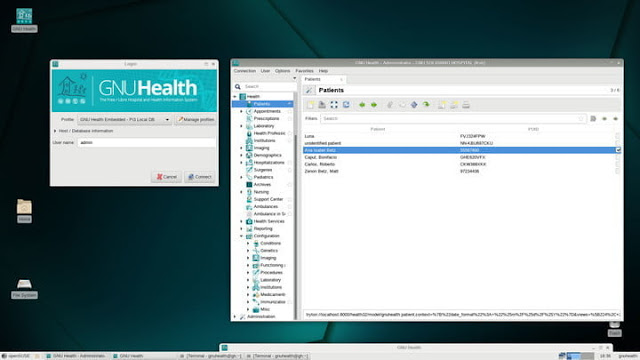
openSUSE is another popular distro, mainly due to the flexibility of its interface and its simple installation of files. openSUSE uses a program called YaST, which is essentially a portal through which you can manage your computer and adjust the settings to your liking. YaST facilitates the installation of a large number of well-known desktop interfaces, from KDE and LXDE to Gnome, MATE and many others. These interfaces can even be installed simultaneously through YaST, and switch between them on the fly.

YaST also makes adding third-party applications easy with fast installations with just one click. Finally, openSUSE includes a function called Tumbleweed, which updates the system and applications automatically so that your computer is always up to date. openSUSE can be downloaded for free, and there is a paid version that includes 90-day installation support.

FEDORA
Fedora
Fedora

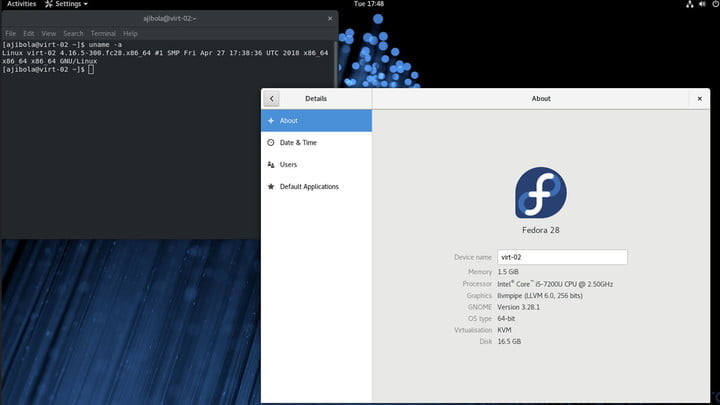
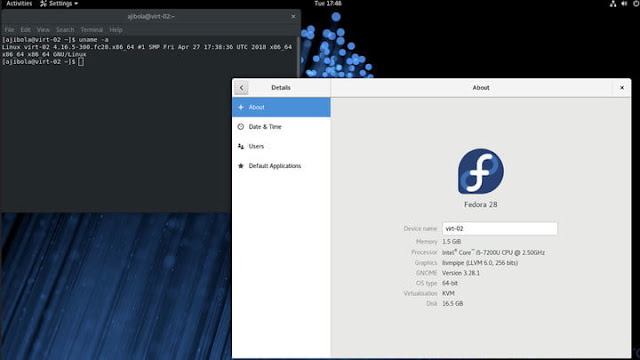
Do not let the silly name of this distro fool you. It is a flexible operating system with three separate options according to your needs. There are versions available for server, another oriented to the cloud and a third for the workstation, which offers more options for specific needs, such as games, design and even robotics, among others. Fedora mainly uses the GNOME interface, but there are versions available that use different desktop environments.

Fedora is known to have frequent updates, sometimes weeks or months apart, integrating the latest programs and functions available for Linux systems. This makes the distribution less reliable for those who test new products due to the short cycle between versions, and increases the risk of unstable constructions. However, it is ideal for those who want to be at the forefront of Linux development.

DEBIAN
Debian
Debian

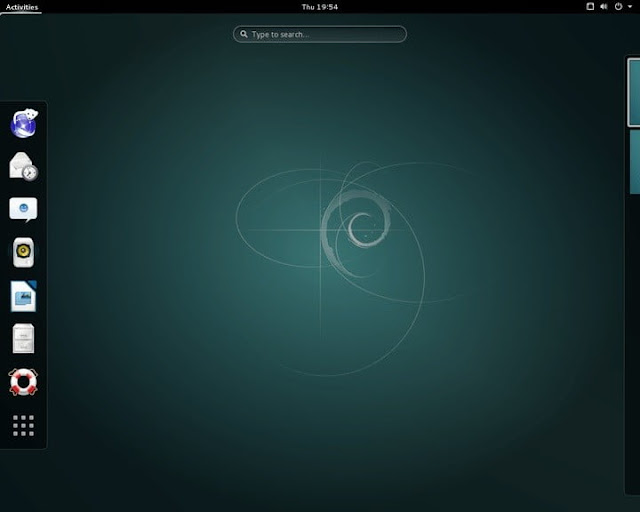
Debian is one of the oldest Linux distributions, first released in 1996. Since then, it has served as a framework for many other distributions, such as Ubuntu and Mint, which have subsequently inspired many other distributions. Debian is something like the "grandfather" of the current distributions. The modern version of Debian offers versions with different integrated desktop environments, although GNOME is the main supported interface. It is an excellent option for workstations and servers. The workstation version comes with pre-installed programs such as the Photoshop alternative, GIMP, Iceweasel internet browser, LibreOffice word processor and VLC media player.

MANJARO
Manjaro
Manjaro
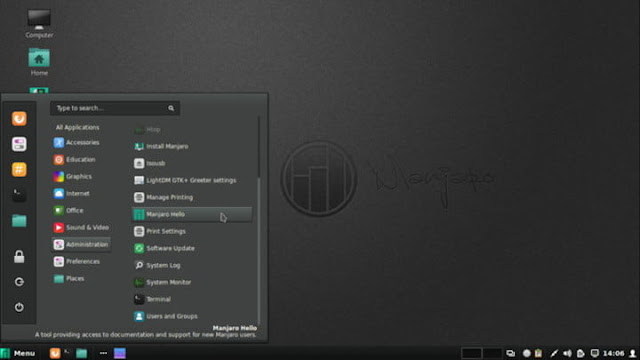
Manjaro is based on another Linux distribution called Arch, which is optimized for advanced users familiar with the Linux back-end. It focuses on ease of use for both beginners and advanced users, without eliminating all the good that makes Arch is excellent. In addition, Manjaro's features allow you to automatically detect the hardware of your system and install the appropriate software as if it were a Windows-based machine. It is backed by a large repository of software developed specifically for this distribution, and by a community that will gladly help any user. It offers three "official" flavors: the XFCE edition is fast and light, the heavier, more media-focused and visually appealing KDE, and the GNOME with a highly customizable user interface.

ANTERGOS

Antergos
Antergos
The motto of this distribution is that it is always fresh and never frozen. That means you're in a "continuous release" development cycle so you're not forced to download and install new versions when they're available. This also includes all applications that come packaged with Antergos, so you are not working with obsolete software. It is another derivation of Arch Linux that aims to be powerful and at the same time friendly and elegant.

It is ready to use, so you can listen to music quickly, explore the web and more. And like Manjaro, it offers different "flavors" to choose from, each one designed for a different visual preference (GNOME, Canela, KDE, XFCE, MATE and Openbox). It is one of the "nicest" Linux-based distributions, and it is a good choice for newcomers to Linux.

SOLUS
Solus
Solus
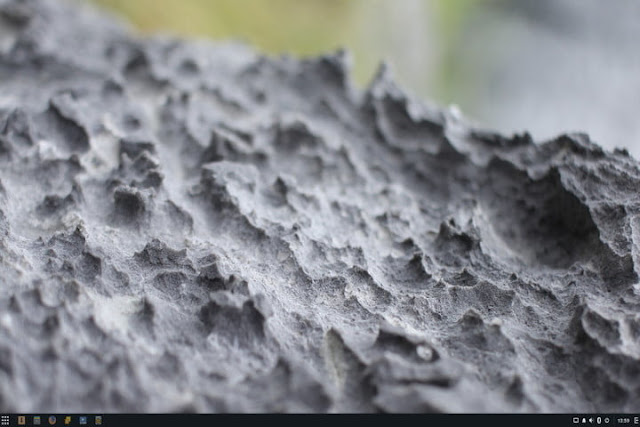
Launched at the end of 2015, Solus has become one of the most used distributions in the last two years. You can choose between three desktop interfaces (Budgie, GNOME, MATE) and take advantage of Firefox, Thunderbird and other software that you already use on your Windows computer.

ZORIN
Zorin
Zorin
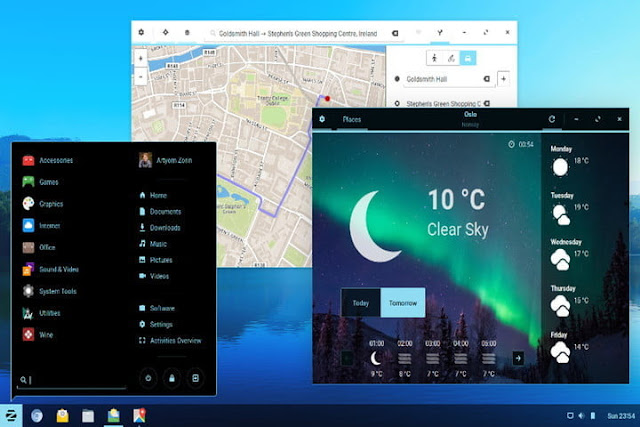
Here is another Linux distribution created to replace Windows and MacOS. In fact, although it is based on Ubuntu, Zorin provides visual interfaces that mimic these operating systems, so you will not feel as if you are venturing into unfamiliar territory. The software is designed to facilitate the transition from Windows and MacOS, which, frankly, is its biggest attraction. In addition, it also provides all the benefits of Linux, including a secure environment and a high-performance computing experience.
Share: